
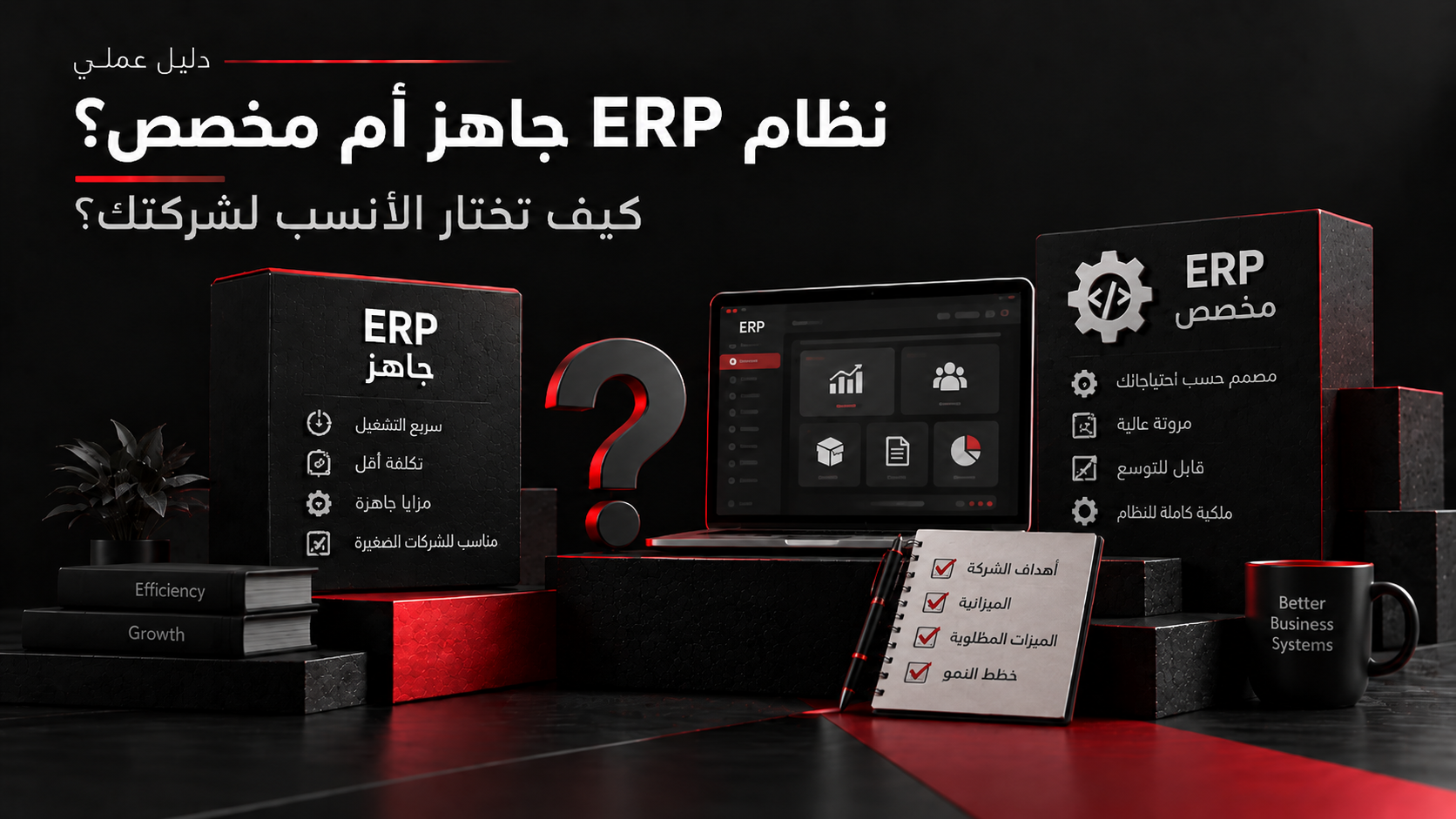
Choosing an ERP is not simply a choice between buying a ready-made product and building a system from scratch. In practice, there is a spectrum: a standard system can be configured, extended with approved tools and integrations, supplemented with custom modules, or replaced by a more deeply customized solution when the business requirements justify it. The right decision begins with the business processes, not the software. A company should understand which processes are standard, which create genuine competitive or operational differentiation, which integrations are required, and which requirements can change before deciding how much customization is necessary. This guide explains how to evaluate standard ERP capabilities, configuration, extensions, integrations, and custom development so you can choose an approach that fits the business without introducing unnecessary complexity.
Start With the Business Process, Not the ERP
Before comparing products or development approaches, map the business processes the ERP is expected to support. Identify who performs each step, what data moves between departments, where approvals occur, which reports are required, and which existing systems must remain connected.
The objective is to separate actual business requirements from habits inherited from spreadsheets, legacy software, or older workflows. Recreating every existing screen or procedure inside a new ERP can produce unnecessary customization without improving the underlying process.
- Which processes are critical to daily operations?
- Which processes are already standardized?
- Which workflows genuinely differentiate the business?
- Which approvals and controls are mandatory?
- Which systems and data sources must remain integrated?
Evaluate the Standard Fit First
Before requesting custom development, compare the required processes with the standard capabilities of the ERP platform. Some requirements may already be available through configuration, permissions, workflows, reporting, or supported platform features.
A fit-to-standard assessment helps separate real functional gaps from requirements that can be satisfied by changing configuration or adapting a process. The remaining gaps can then be evaluated individually instead of treating the whole system as a customization project.
- 1Document the required business process.
- 2Map it to available standard capabilities.
- 3Identify configuration options.
- 4Record the remaining functional gaps.
- 5Evaluate the business value of each gap.
- 6Decide whether to adapt, extend, integrate, or customize.
When an Off-the-Shelf ERP Is Usually the Better Fit
A standard ERP approach can be a strong fit when the company follows common accounting, purchasing, inventory, sales, approval, and reporting processes and can adapt part of its workflow to the platform.
This approach can reduce the amount of custom code the organization must own and maintain. It can also make vendor updates and platform improvements easier to adopt when the implementation remains close to supported patterns.
- Most core processes follow common industry patterns.
- The organization can adapt non-critical workflows.
- Required functionality already exists in the platform.
- Integrations are supported through documented interfaces.
- The company prefers vendor-managed platform evolution.
Configuration, Extension, or Custom Development Are Different Decisions
Not every requirement outside the default setup requires a custom ERP. There are several levels of change.
Configuration changes how the standard product behaves using supported settings. Extensions add capabilities through supported low-code, code, or platform mechanisms. Integrations connect the ERP to other systems. Custom development introduces functionality that the standard platform and its supported extensions cannot adequately provide.
Treating these levels separately helps prevent a small business requirement from becoming an unnecessarily large development project.
When Custom Development Becomes Justified
Custom development becomes more reasonable when an important requirement cannot be supported adequately through standard functionality, configuration, supported extensions, or integration.
The justification should come from business value or a real operational constraint, not simply from a preference to reproduce the current system exactly.
- A critical workflow is unique to the operating model.
- Standard functionality creates unacceptable operational friction.
- The business requires a specialized multi-party workflow.
- Several systems must be coordinated through custom business logic.
- The product itself is part of the company's competitive offering.
- Required functionality cannot be implemented safely through supported configuration or extensions.
Compare Total Cost, Not Only the Purchase Price
The initial license or development cost is only one part of an ERP decision. Compare the cost of implementation, configuration, integrations, data migration, training, testing, infrastructure, custom development, maintenance, upgrades, support, and future changes.
A lower initial development estimate can become expensive if the system requires continuous custom maintenance. A standard platform can also become expensive when extensive customization, licensing, or implementation complexity accumulates around it.
- 1Licensing or initial development.
- 2Implementation and configuration.
- 3Data migration.
- 4Integrations.
- 5Custom extensions.
- 6Testing and training.
- 7Hosting and infrastructure.
- 8Maintenance and support.
- 9Upgrade impact.
- 10Future change cost.
Do Not Ignore Data and Integrations
An ERP rarely operates alone. Existing CRM systems, ecommerce platforms, payment services, warehouse tools, reporting platforms, mobile applications, and legacy databases may need to exchange data with it.
Before choosing the implementation approach, identify the system of record for each data domain, the direction and frequency of synchronization, migration requirements, error handling, and the APIs or integration mechanisms available.
Use a Decision Matrix Before Choosing
The final decision should compare the available approaches against the requirements that matter to the organization rather than relying on a general preference for standard or custom software.
- 1Map the critical business processes.
- 2Separate standard processes from genuine differentiators.
- 3Evaluate the fit of available ERP platforms.
- 4Identify configuration and extension options.
- 5List unresolved functional gaps.
- 6Map integration and migration requirements.
- 7Estimate lifecycle cost and maintenance responsibility.
- 8Evaluate security, compliance, and upgrade impact.
- 9Select the least complex approach that satisfies the critical requirements.
Limitations
This guide provides a general framework for evaluating ERP implementation approaches and does not recommend a specific ERP vendor or product. The appropriate solution depends on the organization's business processes, size, industry, country-specific accounting and regulatory requirements, integrations, data quality, security requirements, budget, internal capabilities, and long-term operating model. A detailed requirements and fit-gap assessment is necessary before estimating implementation scope, cost, or timeline.



