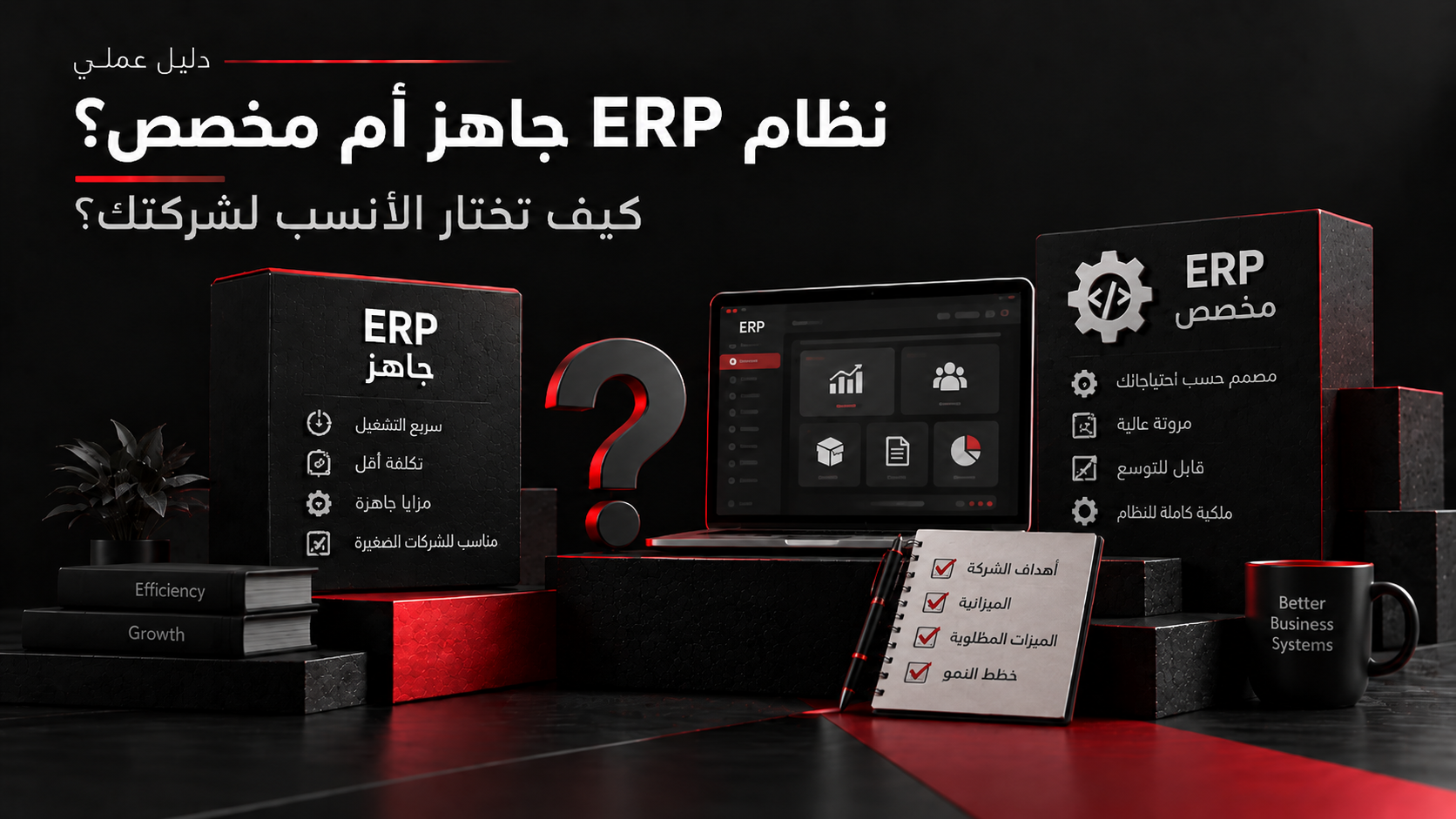
Buying software and building custom software are not opposite answers to every requirement. Between them is a spectrum: adopt SaaS as-is, configure it, extend selected capabilities, integrate it with existing systems, or develop only components that require custom behavior. Buying can shorten the path to established functionality while shifting parts of maintenance, infrastructure, updates, and platform evolution to the provider. Building provides greater control over workflows, data, integrations, experience, and direction, but also creates responsibility for development, security, testing, deployment, maintenance, and change. The decision starts with the business capability and the value of owning it—not a preference for custom or off-the-shelf software. This guide evaluates process fit, differentiation, customization, integrations, data ownership, time to value, lifecycle cost, security, vendor dependency, and long-term ownership.
1. Start With the Business Capability, Not Build or Buy
Before comparing vendors or estimating development, define the required capability: users, current process, outcome, rules, data, systems, volume, constraints, consequences of unavailability, and success measures. This prevents a feature-count comparison from replacing the business decision.
- What problem must be solved?
- Which steps are standard or genuinely unusual?
- Which data and systems participate?
- What must existing tools cannot do?
- How will success be measured?
2. Buy When the Requirement Is Mostly Standard
Buying is often stronger when the capability is common, mature products cover the critical workflow, and non-critical process details can adapt to the platform. Custom development may otherwise duplicate functionality already maintained for many customers.
- The workflow is common.
- Critical requirements are covered.
- Differences fit configuration.
- Integrations are supported.
- Security and compliance are acceptable.
- Faster implementation creates value.
- Owning the software creates no differentiation.
3. Build When the Capability Is a Real Business Differentiator
Custom development is more justified when behavior is central to how the organization operates or competes and available products require substantial compromise. The reason should be measurable value, differentiation, operational requirements, or architectural constraints—not merely owning code.
- Critical rules cannot be represented.
- Software is part of the customer offering.
- Several systems need custom orchestration.
- The required journey cannot be delivered adequately.
- The organization needs roadmap control vendors cannot provide.
4. Configuration, Extension, Integration, and Custom Build Are Different Options
A product that does not fit perfectly does not automatically require replacement. Configuration changes supported behavior, extension adds capabilities through supported mechanisms, integration connects other systems, and custom development creates functionality those approaches cannot cover.
5. Evaluate the Gap Before Building It
For every unsupported important requirement, document the gap and decide whether to adapt the process, configure or extend the product, integrate another capability, or build. Not every difference from the legacy workflow is mandatory; some old steps exist only because previous tools were limited.
- Business requirement and impact.
- Frequency and affected users.
- Standard and configuration options.
- Extension and integration options.
- Custom-build option.
- Value of closing the gap.
6. Compare Time to Value, Not Development Time Alone
Compare the time required to reach a usable business outcome. Buying still needs procurement, configuration, migration, integration, training, and onboarding. Building needs discovery, design, development, testing, deployment, migration, training, and operational readiness.
7. Compare Total Cost of Ownership, Not License vs Development Quote
SaaS subscription price and an initial development estimate are not directly comparable. Evaluate licensing, implementation, modules, integrations, migration, training, support, infrastructure, security, testing, monitoring, incidents, maintenance, upgrades, future requirements, staffing, and exit or replacement costs over an appropriate lifecycle.
- Initial implementation.
- Licensing or development.
- Integrations and migration.
- Infrastructure and testing.
- Security and compliance.
- Training and support.
- Maintenance and upgrades.
- Exit or replacement cost.
8. Data Ownership and Portability Must Be Evaluated Before Buying
Before adopting SaaS, determine how data is stored, accessed, exported, integrated, retained, and deleted. Understand available APIs and formats, historical and file portability, export timing, residency, migration, and what happens when the contract ends. Owning data and owning its software are different questions.
9. Integration Can Decide Whether Buying Is Actually Viable
A product may satisfy its internal requirements yet fail the wider workflow. Evaluate APIs, webhooks, authentication, events, rate limits, connectors, data ownership, synchronization, and reliability. Repeated manual transfer can turn apparent implementation savings into permanent operational work.
11. Building Means Owning a Software Product After Launch
Custom software is not finished at launch. Someone must manage vulnerabilities, dependencies, infrastructure changes, monitoring, incidents, backups, testing, deployment pipelines, platform changes, and future requirements. Define the post-launch owner and operating model before approving the build.
12. Buying Also Creates Long-Term Dependency
Buying reduces some ownership responsibilities but introduces vendor dependency. Evaluate pricing changes, updates, deprecations, extension support, service levels, incidents, and migration options. Vendor dependency is a risk to compare with custom-software ownership, not an automatic reason to build.
13. Use a Build, Buy, Extend, or Integrate Decision Matrix
Compare four responses for every critical capability: buy an existing product, configure or extend supported behavior, integrate another system that owns the capability, or build custom functionality when control and differentiation justify long-term responsibility.
- Is the capability standard or differentiating?
- Which products cover critical requirements?
- Which gaps remain after configuration?
- Can extension or integration solve them?
- Who owns and can export the data?
- What is each option’s lifecycle cost?
- Who owns custom code after launch?
- What are the exit and replacement strategies?
Limitations
This guide provides a general framework for deciding whether to buy, configure, extend, integrate, or build business software. The decision depends on processes, strategic priorities, products, integrations, data ownership, security and regulation, urgency, scale, capabilities, vendor terms, budget, and the long-term operating model. Buying does not remove implementation or governance responsibilities, and custom development does not guarantee better fit or lower lifecycle cost. Evaluate actual alternatives against documented requirements and complete ownership responsibilities.
Sources and references
- Microsoft Azure Well-Architected Framework — Build or buy
- AWS Well-Architected Framework — Reshape the operating model
- Microsoft Power Platform — Application modernization
- Microsoft Dynamics 365 — Customize and extend cloud applications
- Microsoft Azure Well-Architected Framework — Secure development lifecycle
- Microsoft Dynamics 365 — Cloud implementation considerations